

This is an overview of the Author Role's dashboard and what you can view. Click on an item will give you more information about that section of the admin
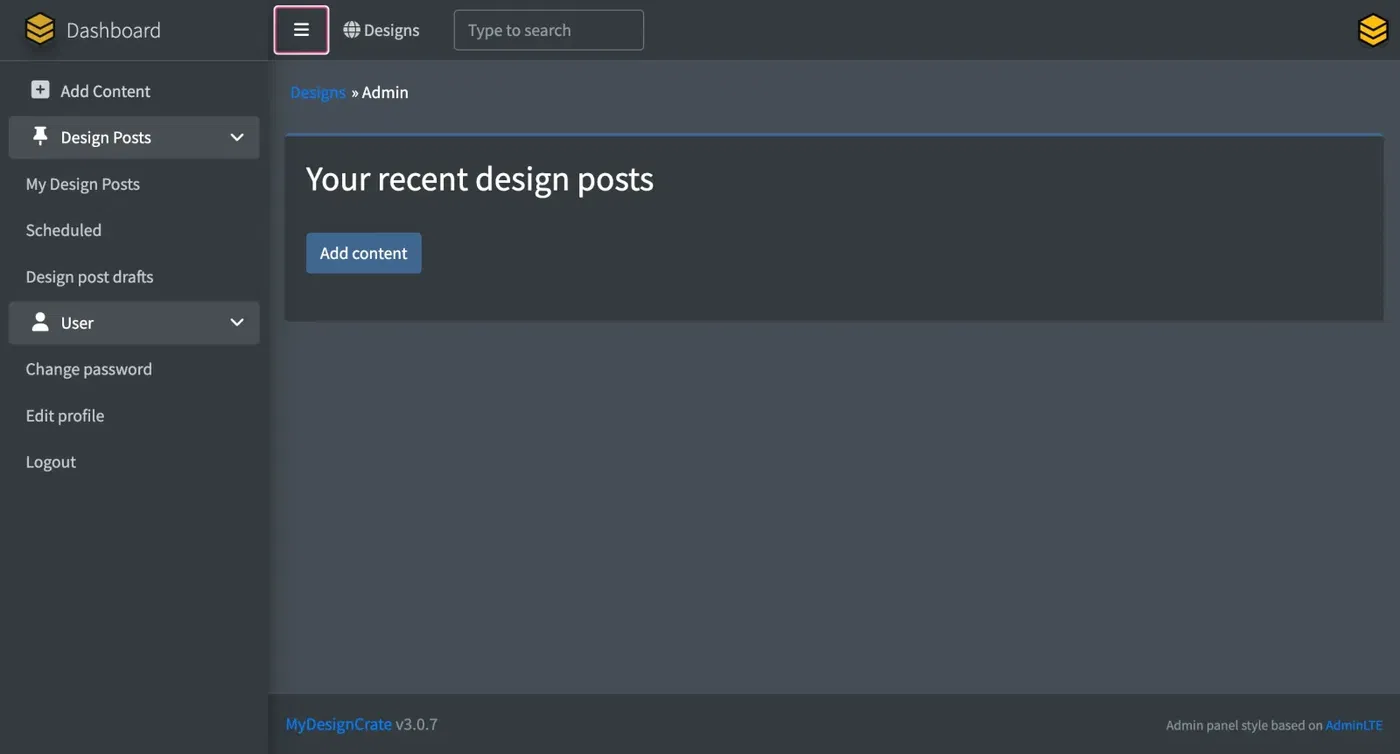
On the LEFT side bar:
- +Add Content - Click on to create a Design Post or Static Page
- Design Posts - Heading
- My Design Posts - List of all posts created by current user.
- Scheduled - Posts that were created using a future date.
- Design Post Drafts (Drafts) - All Drafts of designs posts & pages
- User - Heading
- Change Password - Change your password
- Edit Profile - Edit your about you & logo
- Logout - Logout of your MDC
At the TOP
- Dashboard - Clicking on this will retrun you to your admin dashboard
- Hamburger Button (3 stacked lines) - open & closes the left-side bar menu
- Designs - Clicking on this will open the homepage of your MDC that visitors will see. It's a quick way to preview your MDC
- Type to Search Box - type in a search to search your entire MDC
- User Icon (top-right corner, MDC logo by default) - clicking on this will display all posts made by the current user.